Main hub: Visio Data Visualizer. Swimlane hub: swimlane diagrams.
Swimlane diagram vs cross functional flowchart: what’s the difference?
Most of the time, these terms describe the same deliverable: a flowchart arranged in lanes to show ownership and handoffs. The best choice depends on audience, intent, and what decision the diagram is supposed to support.
Definitions (and why the terms overlap)
In practice, “swimlane diagram” and “cross functional flowchart” are often interchangeable. Both describe a flowchart where steps are arranged into lanes to show who does what.
| Term | Common meaning | Where it is commonly used |
|---|---|---|
| Swimlane diagram | Flowchart with lanes showing ownership | General business, project work, product teams |
| Cross functional flowchart | Swimlane diagram emphasizing cross-team handoffs | Operations, quality, Lean, process documentation |
| Deployment flowchart | Another name for a cross functional swimlane flow | Six Sigma terminology |
The diagram type is less important than the intent: making ownership and handoffs visible so the process can be improved and governed.
The practical difference that matters
A basic flowchart answers: “What happens next?”
A swimlane or cross functional flowchart answers: “Who owns each step, and where does work cross boundaries?”
That boundary crossing is usually where the pain lives: queues, approvals, rework loops, and coordination delays.
Which one should be used?
The best answer is simple: use the term your audience searches and recognizes. On a website, treat them as related terms and cover both intents clearly.
| If the goal is… | Best diagram choice | Why |
|---|---|---|
| Explain sequence only | Basic flowchart | Ownership is not the question |
| Show accountability and handoffs | Swimlane diagram | Ownership per step is the point |
| Publish a standard process artifact | Cross functional flowchart | Common language in operations and quality |
| Plan automation or integration | Cross functional flowchart with system lanes | Shows system touchpoints and manual handoffs |
How to make either diagram maintainable
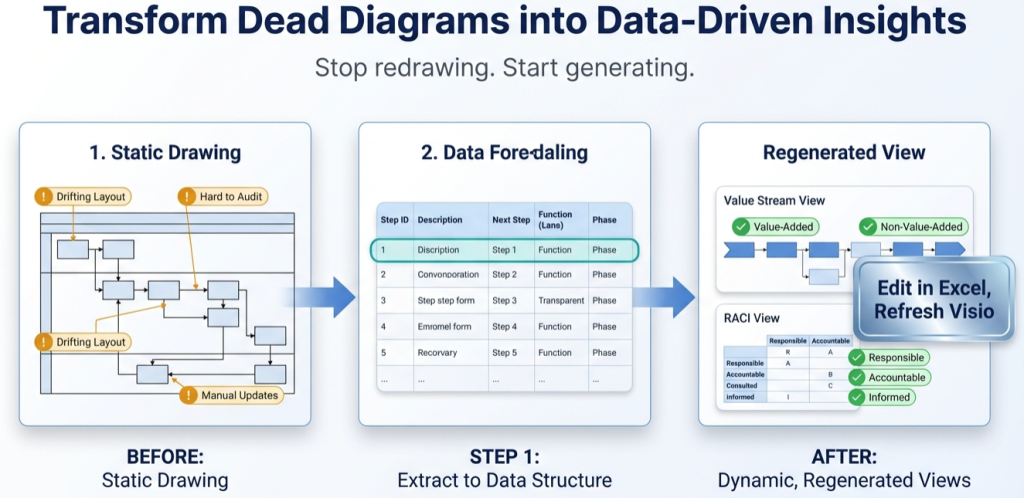
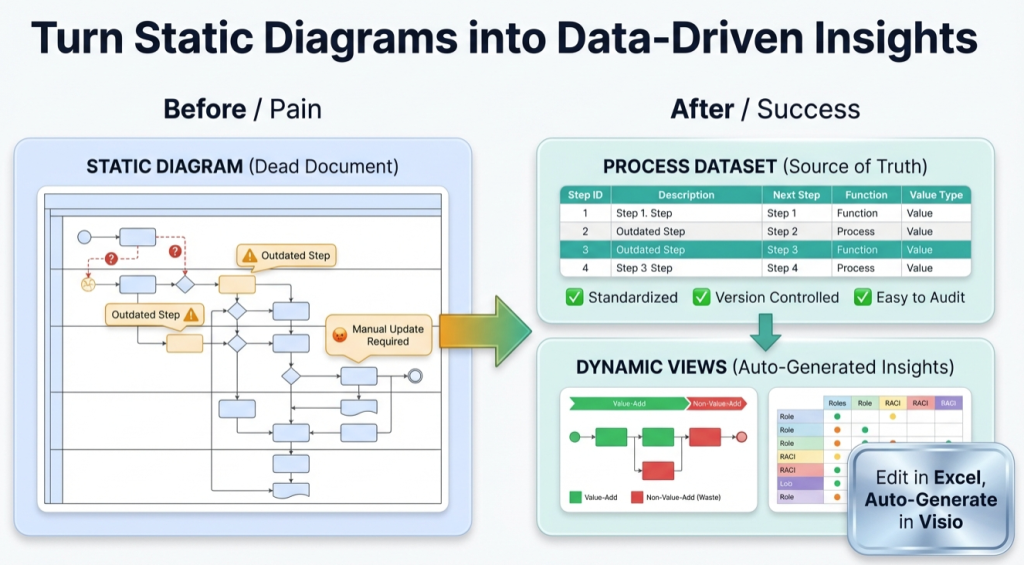
The biggest difference is not the label. It is whether the diagram is a picture or a maintained model.
Maintainable approach: keep the process as a dataset and use Visio as the renderer. That is how updates become table edits, not redraw work.
In Visio Data Visualizer, swimlanes come from Function. When Function is data, lanes can be changed without moving shapes.
Deep dive: swimlanes as data (Function field) and normalize Function data.
How to create one in Visio Data Visualizer
- Start with a template. Use a known-good dataset format and headers.
- Assign Function. Every step gets 1 lane owner (department, role, or system).
- Define connections. Next Step IDs define the arrows, including branching.
- Import and render. Visio generates the layout from the dataset.
- Prove the round-trip. Change 1 Function value and re-import.
Templates and examples: swimlane diagram template, cross functional template, and dataset example.
Recommended next steps
FAQ
Are swimlane diagrams and cross functional flowcharts the same?
In most business contexts, yes. The difference is usually language and audience, not the underlying diagram structure.
When does the distinction matter?
It matters most when communicating with stakeholders. Operations and quality teams often prefer “cross functional flowchart”, while general teams often say “swimlane diagram”.
What is the biggest mistake teams make with these diagrams?
Treating the diagram as the source of truth. A picture goes stale. A dataset can be updated, versioned, and re-rendered.
How does Visio Data Visualizer create swimlanes?
Swimlanes come from the Function column in the dataset. Each step is assigned to 1 Function value, which becomes the lane label.
What is the fastest way to start without wasted effort?
Convert 20 steps, import once, then change 1 Function value and re-import. If the round-trip is clean, scale up with confidence.
Microsoft, Visio, and Excel are trademarks of Microsoft. This site describes an independent tool and is not affiliated with Microsoft.