
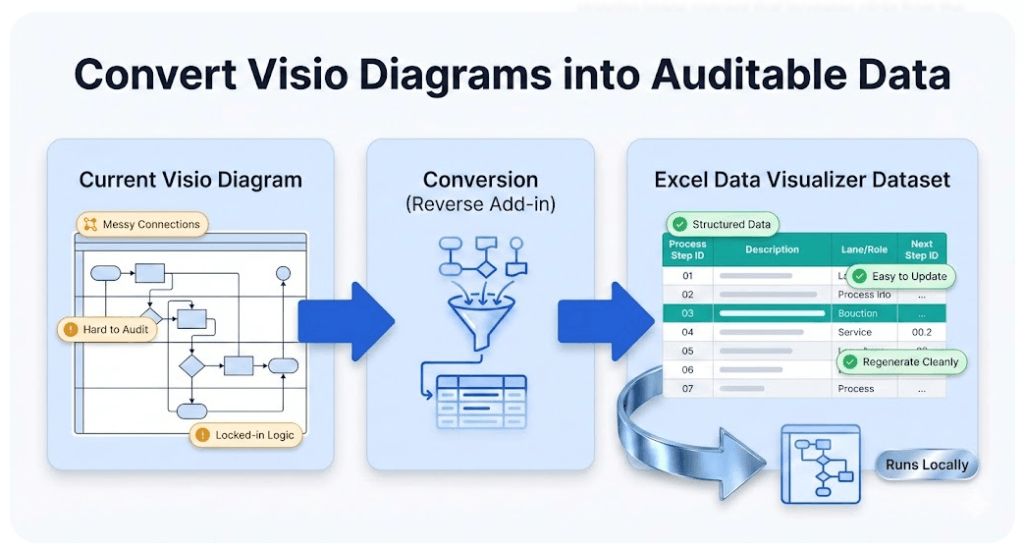
Visio Data Visualizer Dataset Generator
Visio Data Visualizer renders diagrams from datasets. The dataset generator solves the missing first step: diagram → dataset. Convert an existing .vsdx cross functional flowchart into a strict dataset, then regenerate a clean diagram linked to data.
Best fit: Visio cross-functional flowcharts (swimlanes + phases). The generator runs locally on Windows.
What the generator does
- Input: an existing Visio diagram (.vsdx)
- Output: a Data Visualizer-ready dataset (Excel/TSV-friendly)
- Goal: make the diagram refreshable by maintaining the model as data
Money-intent guide: Visio diagram to Excel
Why dataset-first wins
A diagram maintained as a drawing drifts. A process maintained as data stays reviewable.
- Edits become row updates, not connector repair
- Ownership becomes a controlled label (Function)
- Branches and loops become explicit logic (Next Step IDs)
- Changes can be reviewed and versioned like any dataset
This is also the foundation for multi-view analysis. See: process lenses
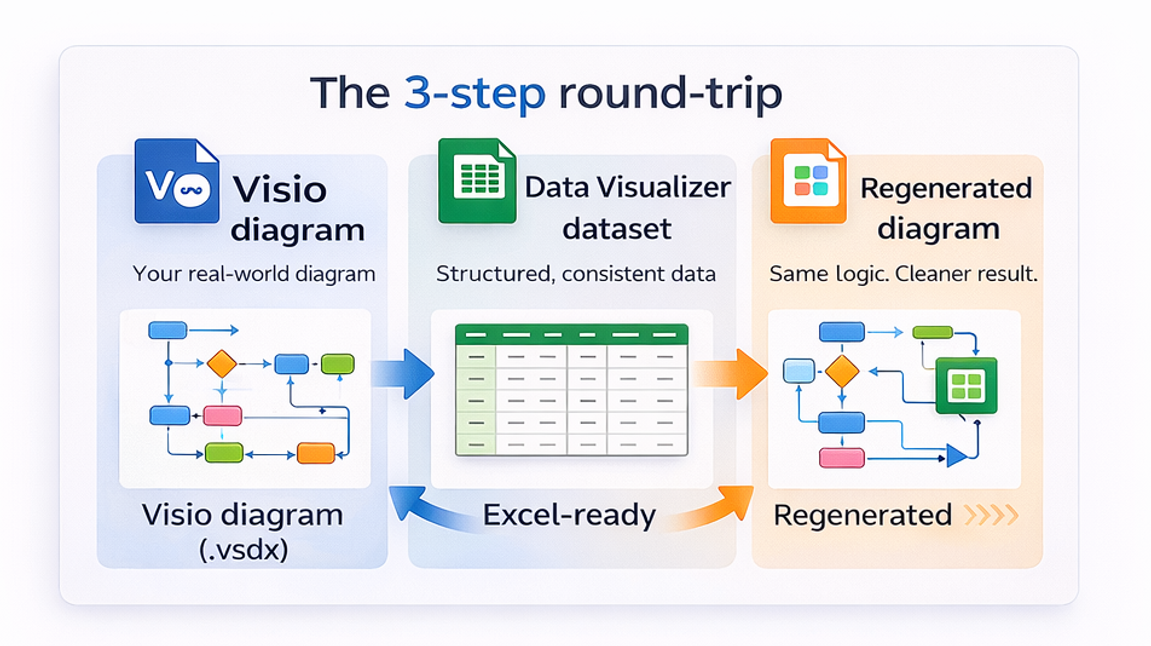
The round-trip workflow (step-by-step)
- Convert diagram → dataset. Export a strict dataset table from the existing diagram.
- Validate the dataset. IDs are unique, references exist, branching is correct, and lane values are standardized.
- Regenerate the diagram. Import the dataset into Cross-Functional Flowchart (Data Visualizer) to render a diagram linked to the data.
- Maintain updates in Excel. Update rows and refresh the diagram when the process changes.
| Change | Manual diagram editing | Dataset-first editing |
|---|---|---|
| Owner changes | Move shapes between lanes and fix layout | Edit Function value in one cell |
| New branch | Add connectors and clean layout | Comma-separate Next Step IDs (no spaces) |
| Rework loop | Back-connect and reformat | Point Next Step ID back to earlier step ID |
Common use cases
- Stop redraw work – refresh from data
- Audit in Excel – handoffs, approvals, loops
- Standardize a Visio library
- Create new stakeholder views without rewriting the process
- Use AI on structured data instead of screenshots
Templates and examples
Import-first resources prevent format guessing and reduce failures:
Fastest entry point for most visitors: Visio diagram to Excel
FAQ
What does the dataset generator produce?
A strict dataset table that can be imported into Visio Data Visualizer to regenerate a cross-functional flowchart linked to data.
Does the generator upload files anywhere?
No. The generator runs locally on Windows. Files stay on your machine unless you choose to share them.
What if the Data Visualizer import fails?
Most import failures are dataset integrity issues – duplicate IDs, missing references, invalid shape types, or inconsistent lane values. Use: import troubleshooting.
What is the best way to start?
Use Lite on a real diagram to validate the round-trip quickly. Upgrade to Standard when full-size diagrams need conversion and maintenance.
Microsoft, Visio, and Excel are trademarks of Microsoft. This is an independent tool and is not affiliated with Microsoft.





