
AI Visio diagram analysis (convert to dataset first)
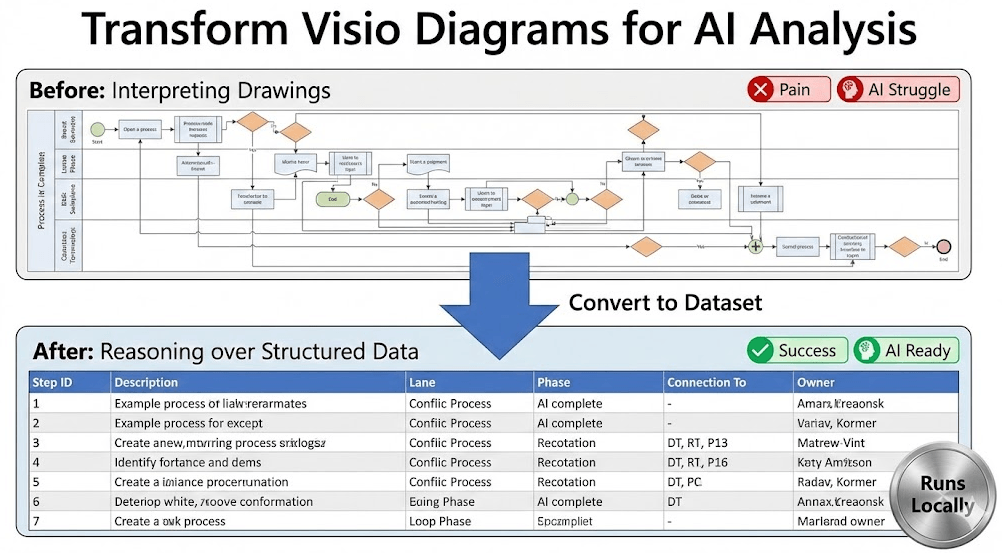
If you want AI to help you improve a Visio process map, don’t start with a screenshot. Convert the diagram into a Data Visualizer dataset first, then analyze the dataset. AI is dramatically better at reasoning over structured rows and connections than pixels.
Start with Lite (Free) See Standard (Unlimited)
What to export for AI
- Process Step ID
- Process Step Description
- Next Step ID (connections)
- Function (lane) and Phase (if cross-functional)
- Any lens columns you add (owner/RACI, cycle time, risk, systems, automation candidate, etc.)
For dataset rules, see: Dataset format.
Prompt templates (copy/paste)
1) Structural integrity audit
Given this process dataset (Step ID, Description, Next Step ID, Function, Phase):
1) Identify duplicate IDs, missing referenced IDs, and steps with no inbound/outbound connections.
2) Identify loops and describe what triggers them.
3) Identify decision points and list their branches.
2) Bottleneck and delay hypotheses
Analyze the process flow and propose:
- likely bottlenecks (handoffs, approvals, loops, rework)
- likely waiting points
- which steps should be measured first to validate the hypothesis
3) Standardization & cleanup
Rewrite the step descriptions into a consistent "verb + object + condition" format.
Also flag vague steps (e.g., "Handle request") and propose clearer wording.
4) Automation candidate scan
Based on the step descriptions and connections, propose:
- steps that look repetitive/manual
- opportunities to reduce approvals
- opportunities to remove duplicate data entry
Return a ranked list and explain why.
Turn AI insights into a better diagram
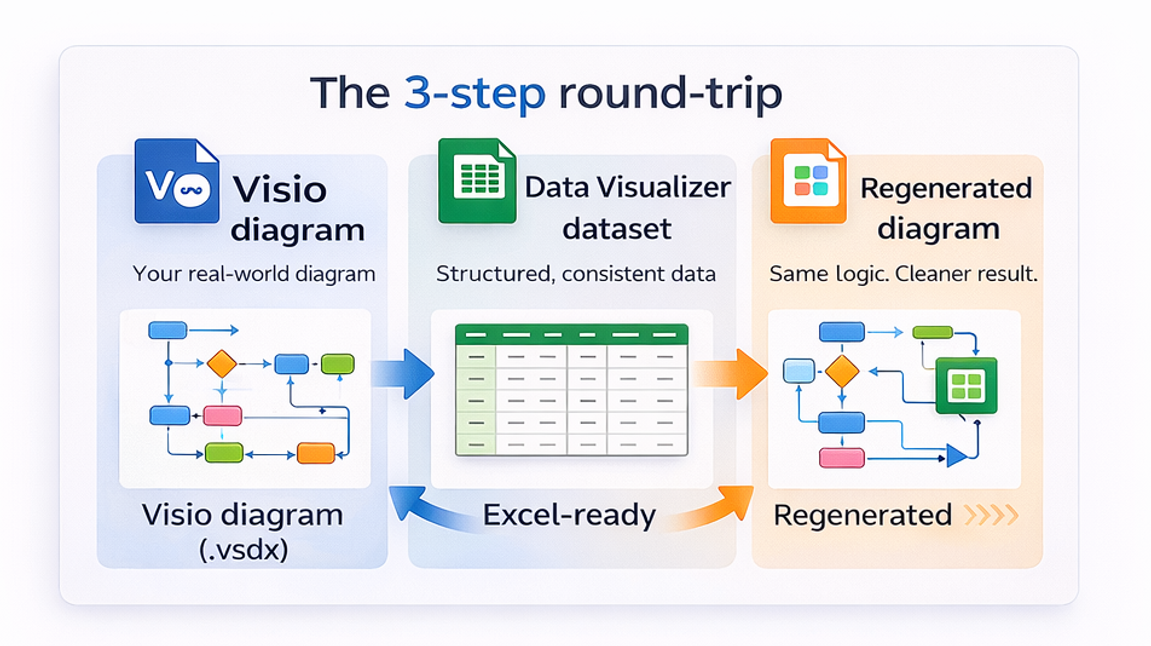
- Apply the improvements in the dataset (Excel).
- Regenerate a clean diagram via Visio Data Visualizer.
- Repeat: dataset → regenerate → review.
If you want to create multiple views (RACI/value stream/risk/automation), see: Process lenses.
FAQ
Why not analyze the Visio diagram directly?
AI is stronger on structured datasets than images. The dataset makes IDs, branches, loops, lanes, and phases explicit.
What if my dataset import fails?
Fix dataset integrity issues first. Use: Import troubleshooting.
Where should I start?
Start with Lite to export 20 steps from a real diagram. If you need unlimited steps, upgrade to Standard.
Microsoft, Visio, and Excel are trademarks of Microsoft. This product is an independent tool and is not affiliated with Microsoft.





