
Data Visualizer Dataset Format
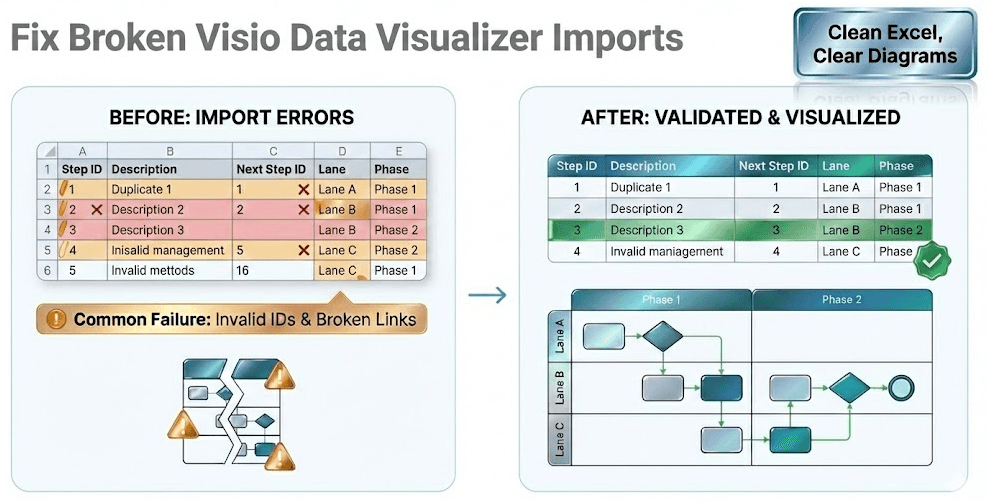
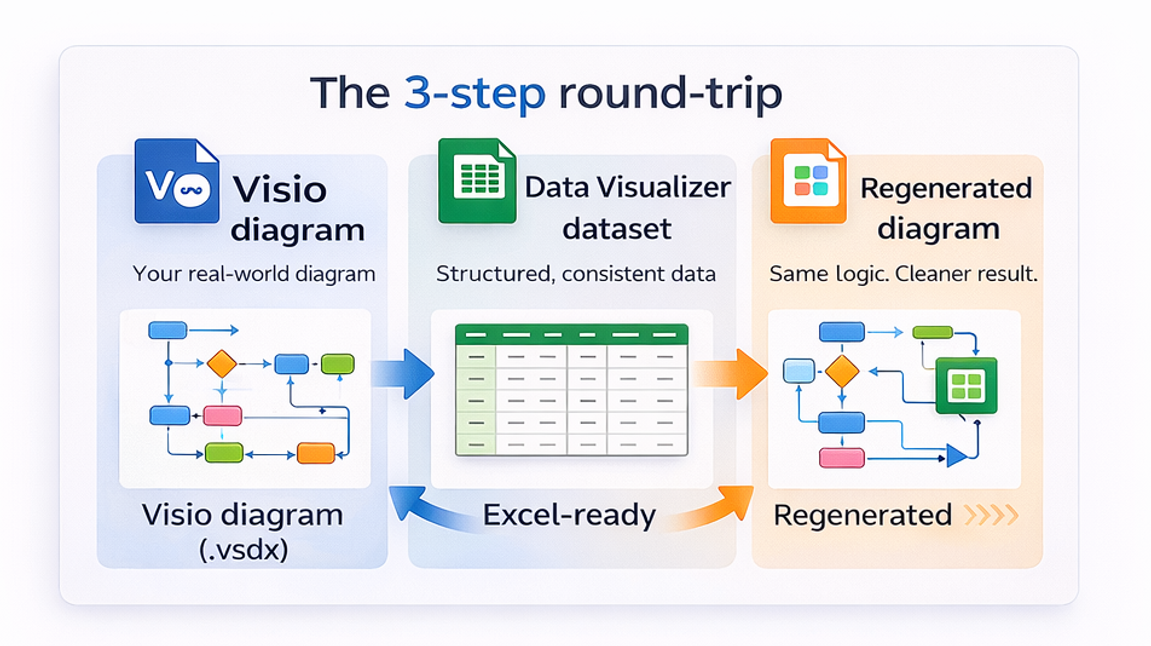
The dataset is the model. Visio Data Visualizer uses a strict table (often tab-separated values, TSV) to define steps, connections, and ownership—then renders a diagram as a view.
This page explains the required columns, branching rules, and the validation checklist that prevents most import failures.
Related pages: Import troubleshooting · Swimlane template · Cross functional template
Strict headers (copy/paste)
Many datasets fail because headers drift. Start with a strict header row and keep it exact.
Process Step ID Process Step Description Next Step ID Connector Label Shape Type Phase FunctionTSV means tab-separated values. Do not “fake it” with commas. Avoid blank rows (including a blank line at the end) and avoid trailing spaces.
Field meanings (what each column controls)
| Field | What it controls | Practical guidance |
|---|---|---|
| Process Step ID | Stable identifier for each step | Never reuse an ID for a different step. If text changes, keep the ID. |
| Process Step Description | Label shown in the shape | Keep it short and action-oriented (verb + object). |
| Next Step ID | Connections and branching | Each Next Step ID must exist. Branching is comma-separated IDs in one cell (no spaces). |
| Connector Label (optional) | Text displayed on a connector | Useful for decisions (e.g., “Yes” / “No”), but keep it minimal. |
| Shape Type | How the step is drawn | Use allowed values for the template being imported into (Start, Process, Decision, End). |
| Phase (optional) | Stage/column grouping | Keep the phase set small and consistent (Intake, Review, Approve, Fulfill, Close). |
| Function | Swimlane owner | Role, team, department, or system. Treat as controlled vocabulary to prevent lane sprawl. |
Process Step ID rules (stability matters)
- Unique: no duplicates.
- Stable: do not “renumber everything” for minor edits.
- Readable: many teams use padded IDs (010, 020, 030) for scanning and sorting.
Why stability matters: connectors reference IDs. If IDs change casually, the model breaks.
Next Step ID rules (connections + branching)
Next Step ID is where the “process logic” lives. A clean way to think about it:
- Single next step: one ID (example: 070)
- Decision branch: multiple IDs in one cell (example: 070,080)
- End step: blank Next Step ID
Process Step ID        Process Step Description        Next Step ID        Shape Type        Function
060        Request complete?        070,080        Decision        Coordinator
Branching rule: multiple Next Step IDs are comma-separated with no spaces. Each referenced ID must exist as a Process Step ID.
Function and Phase (lanes + stages)
Function controls swimlanes (ownership). Phase controls stages/columns (optional).
- Function can represent roles, teams, departments, or systems (email, customer relationship management system (CRM), enterprise resource planning system (ERP), ticketing, spreadsheet).
- Phase should be used only if it changes decisions. If it adds noise, omit it.
Need templates and working datasets? Use: swimlane diagram template and cross functional dataset example.
Validation checklist (import-safe)
- No blank rows in TSV (including a blank line at end-of-file).
- Headers match exactly (spelling + order).
- No leading/trailing spaces in cells.
- All Process Step IDs are unique.
- Every Next Step ID exists as a Process Step ID.
- End steps have blank Next Step ID.
- Branching uses comma-separated IDs with no spaces.
- Function values are standardized (no near-duplicates).
If imports fail, go straight to: import troubleshooting.
FAQ
What is the Data Visualizer dataset?
It is a strict table that defines process steps (rows), connections (Next Step IDs), and ownership (Function) so Visio can render a diagram from data.
Why is TSV so strict?
Because Visio is building a diagram from a structured model. Blank lines, header drift, and broken references can prevent the model from being constructed correctly.
How should branching decisions be represented?
Store multiple Next Step IDs in one cell as comma-separated IDs with no spaces (example: 070,080). Ensure each referenced ID exists.
What should Function represent?
Function should represent ownership. It can be a role, team, department, or system (email, customer relationship management system (CRM), enterprise resource planning system (ERP), ticketing, spreadsheet).
How can a dataset be validated quickly?
Start with 10–20 rows, validate unique IDs and Next Step references, confirm there are no blank TSV rows, and import. If it imports once, scaling becomes much easier.
Fast path: validate the loop with Lite, then convert full diagrams with Standard.
Microsoft, Visio, and Excel are trademarks of Microsoft. This is an independent tool and is not affiliated with Microsoft.





